One gym, one system,
zero downtime.
A neighbourhood gym was running daily sales on a legacy browser POS — sales in one place, member records in another, month-end reconciliation rebuilt by hand. The shop could not afford to close, so “migrate the system” kept being postponed. I moved it live without losing a single trading hour.
Two systems, one spreadsheet, and no way to stop selling.
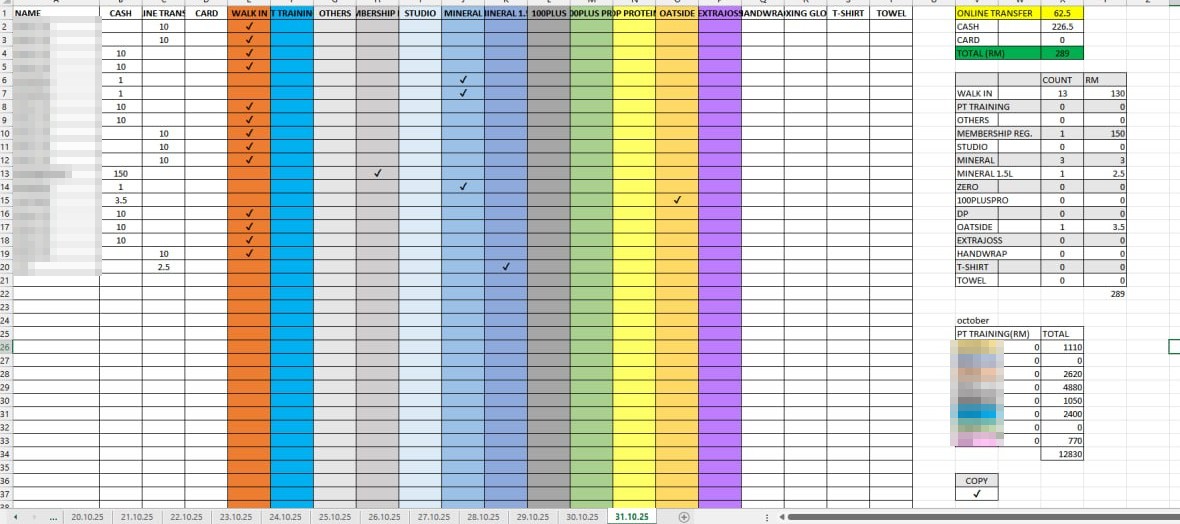
Checkout lived in an ageing web POS, and every sale was then keyed a second time into a shared Excel workbook — one tab per trading day. At month end the owner re-added those rows by hand to get a total per product, per payment method and per trainer, then carried the figure into the accounts.
The obvious answer — “just switch systems” — ignored the real constraint: the counter is the business. Any migration had to happen while staff kept taking payments, and the historical sales had to come across without a single duplicated or missing ringgit.
One Excel tab per trading day. Then the maths.
Every sale keyed in by hand, each category ticked, and at month end every row added up again — per product, per payment method and per trainer, as the tally block on the right shows.
One system for the counter, the books and the back office.
POS & inventory
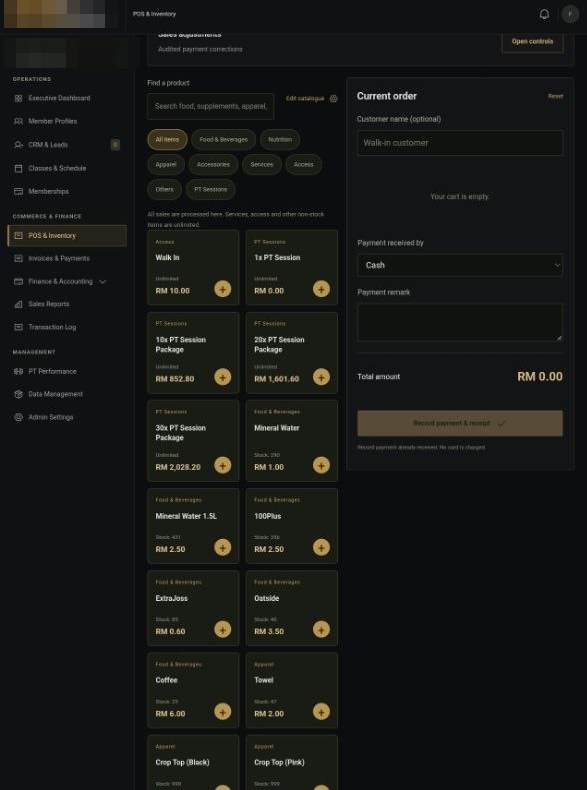
Single-screen checkout, receipts, stock movements, shift records and a category-based catalogue built for counter speed.
CRM & memberships
Members, plans, renewals, class scheduling, leads and staff permissions in one record instead of three.
Reporting that adds up
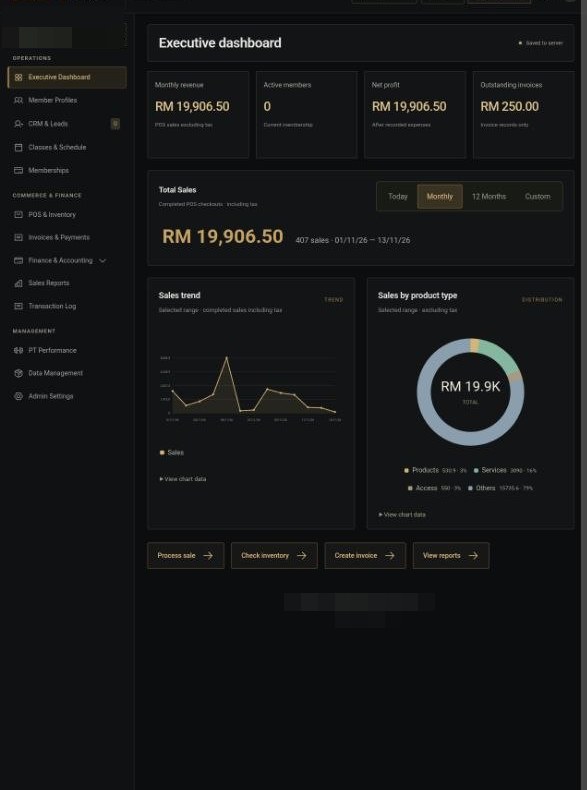
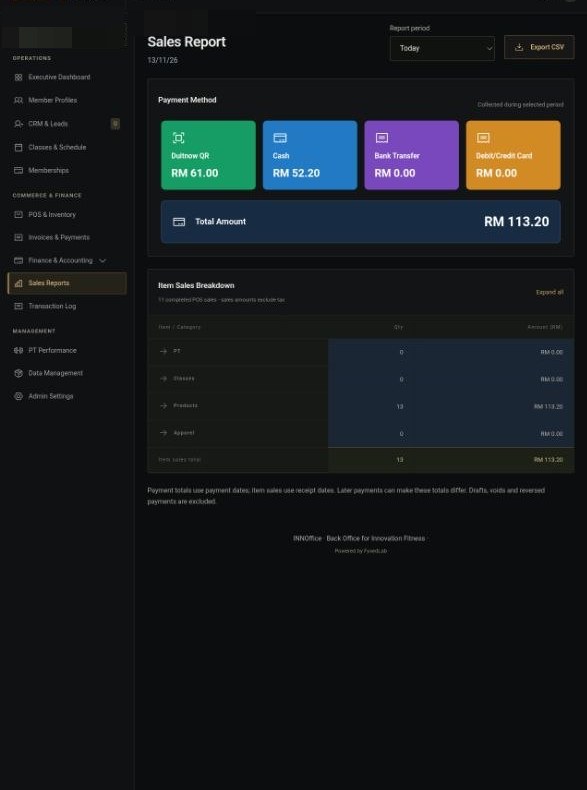
Revenue by day, category and payment method — computed from the same rows the counter writes, so the numbers always reconcile.
Data migration
An idempotent importer pulled 2,643 historical sales out of the old system; re-running it never duplicated a row.
Automated sync & monitoring
Incremental reconciliation every 30 minutes with verification and failure alerts — instead of silent drift discovered at month end.
Production hardening
Domain and SSL migration, locked-down database tooling, debug mode off, and a commission-calculation mismatch found and fixed.
Real screens, from the live system.
What changed for the owner.
| Measure | Before | After |
|---|---|---|
| Daily sales record | keyed by hand into Excel | typed once at the counter |
| Month-end tally | every row re-added by hand | automatic · 30 min |
| Historical sales in one place | split across systems | 2,643 records |
| Revenue visibility | end of month | live |
| Trading downtime at cutover | feared | 0 minutes |
| Failed syncs noticed | never checked | alerted in minutes |
Most developers hand over a repository and disappear. The part that actually matters is what happens after launch — the migration that has to be exact, the monitoring nobody set up, and the phone call when a number doesn’t add up. Fyxed Lab
Running a gym on a system you don’t trust?
Tell me how the counter actually works. First call is free.